
INFINITT PACS Integration — Rosenberg View Workflow Custom Analysis
Implemented so that Rosenberg view-based analysis results naturally integrate into the 'existing reading workflow' rather than a 'new screen' inside the INFINITT PACS integration environment.
Hello, this is the WALK101 Newsletter.
In this issue, we introduce a case where GMSM analysis results are provided in accordance with the Rosenberg view examination flow within the INFINITT PACS integration environment. What's important in a clinical setting is not merely 'AI analysis', but the experience of naturally verifying results within the medical staff's familiar PACS reading workflow.
Why is 'integration' the core?
Rosenberg view is an imaging method frequently utilized in knee joint evaluations, and the actual reading proceeds in the flow of PACS list → Image check → Report writing/confirmation. If AI results are provided on a separate screen/separate link, the adoption barrier increases because there is one more 'stage to check'. WALK101 solved this problem through 'workflow design'.
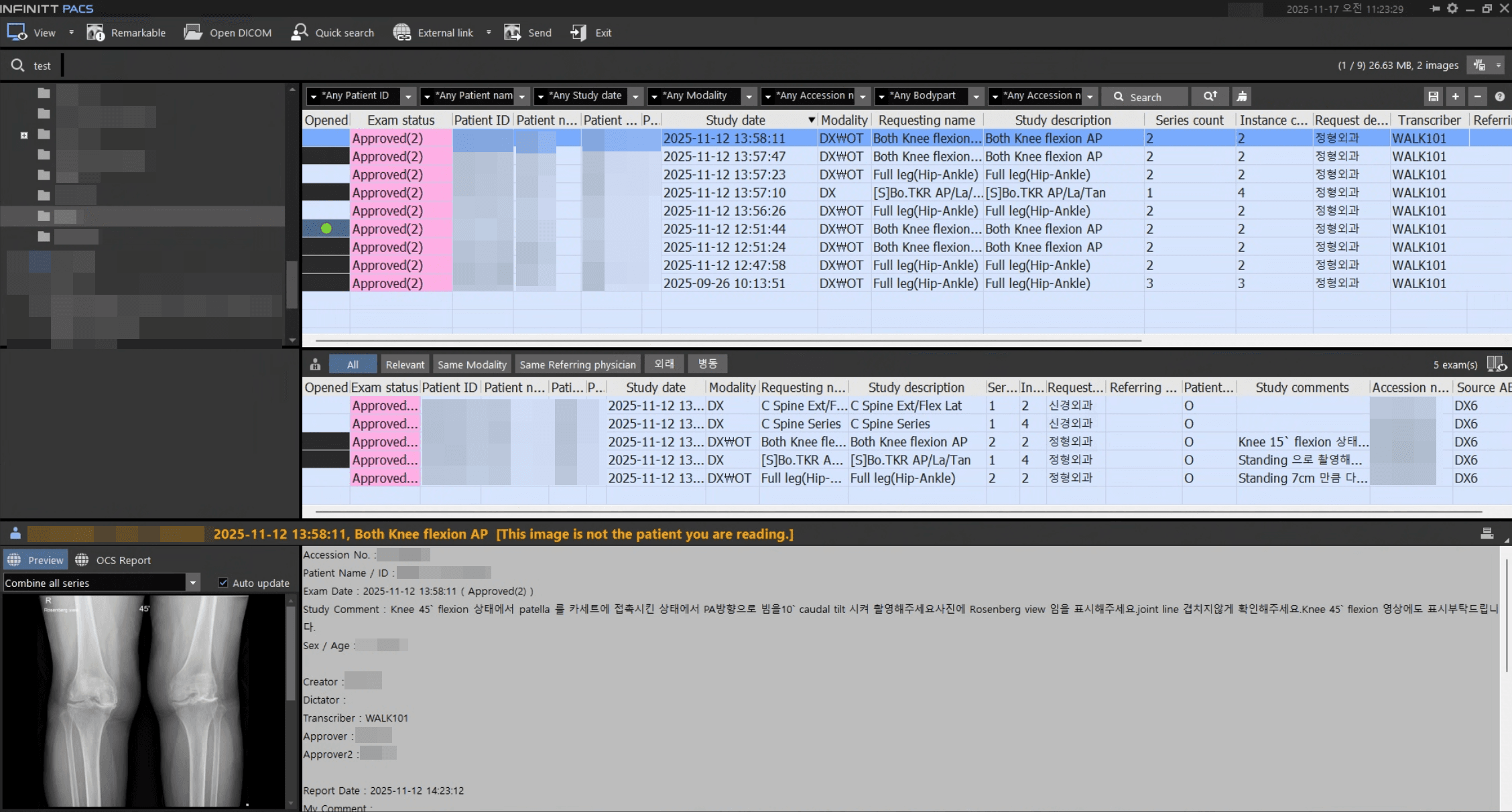
1) The reading flow as it is from the PACS list
The screen below shows how musculoskeletal tests analyzed by GMSM are managed as a list in INFINITT PACS in the same way as before. For the medical staff, without any additional actions, they just need to open the case and proceed with the reading as they usually do.
2) So that AI results go 'into the report'
The following screen is an example where the results analyzed by GMSM are naturally confirmed in the PACS reading screen. The key is that we constructed it so that the necessary information (result values) comes into the very location where medical staff write the report, not 'showing the results separately'.
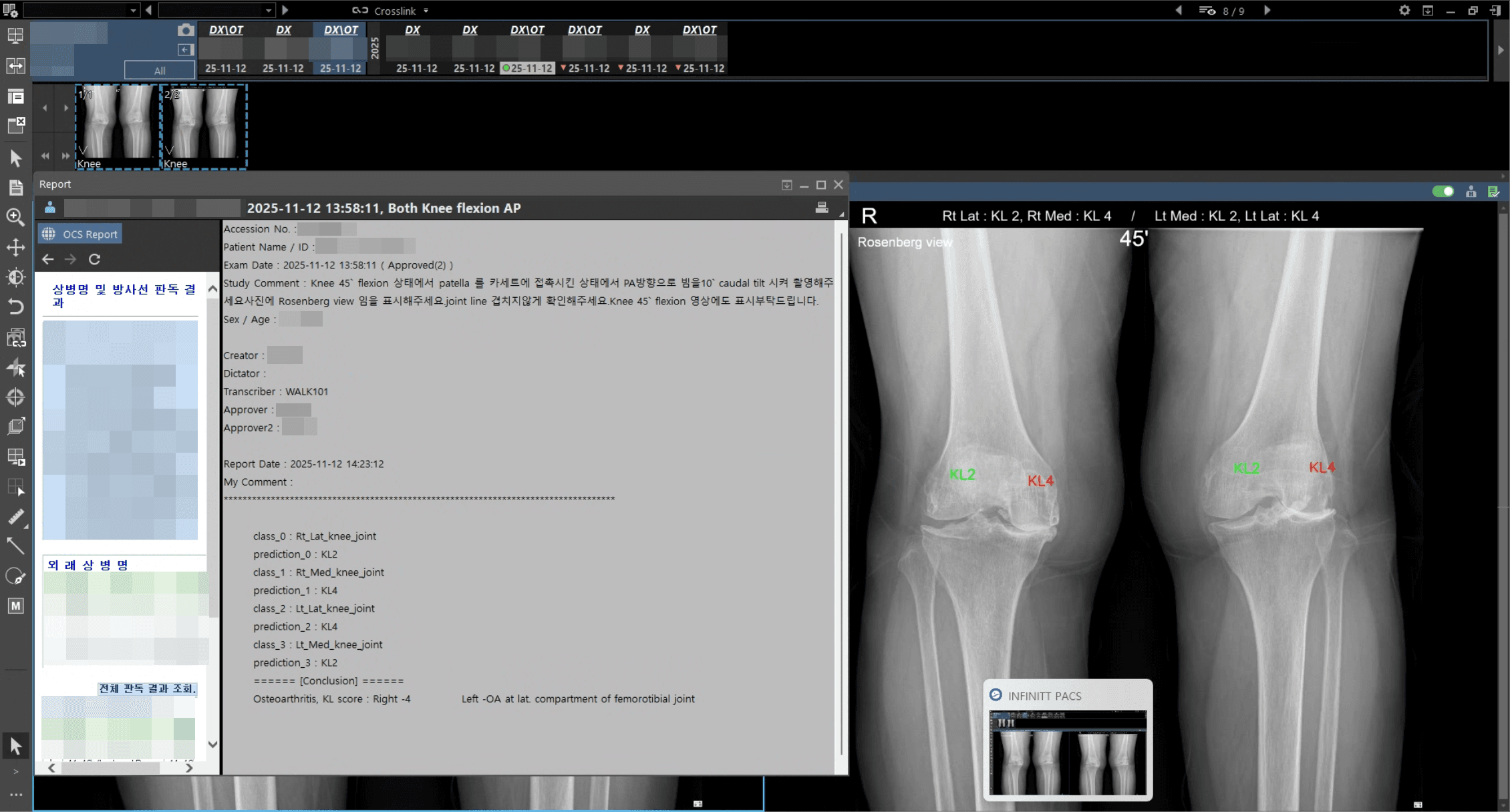
Integration method summary (Medical staff perspective)
- ► Automatic identification/classification of Rosenberg view images at the PACS reception stage
- ► GMSM generates analysis results (marking image + measurement/classification result)
- ► The results go back into the PACS, and medical staff check them right on their 'original screen'
- ► Reading workflow maintained without separate logins/separate links/separate viewers
Expected effects in the field
The advantage of integrated operation is not simply 'convenience', but rather raising both actual usage frequency and operational stability together. If medical staff don't have to change their existing habits, the application speed gets faster, and omitted result checks are reduced. Plus, for hospitals, the burden of adding separate systems can be minimized.
- ► Result verification without adding extra reading pathways (minimum interruption to work)
- ► Reduced check omission/re-verification costs by gathering results on one screen
- ► Reduced burden of changing hospital systems, strengthening actual likelihood of adoption
Next Step
Starting with the Rosenberg view integration, WALK101 is expanding 'workflow-type analysis' tailored to shooting sets/reading patterns that are actually repeated in hospital environments. We will not stop at simple feature additions but continue advancing the AI experience that works naturally within the flow medical staff use every day.